Authorization Details
To fetch the authorization details of Workday ERP, follow these steps:
-
Click this link to log in to the Workday portal using appropriate credentials.
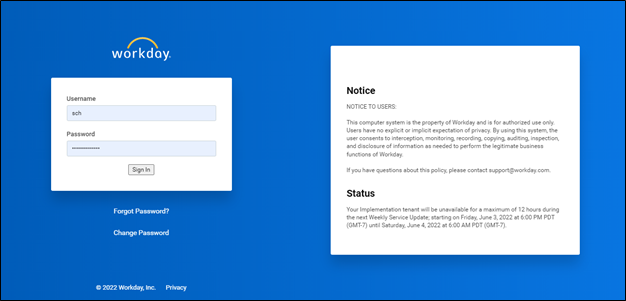
The landing page similar to the following image is displayed.
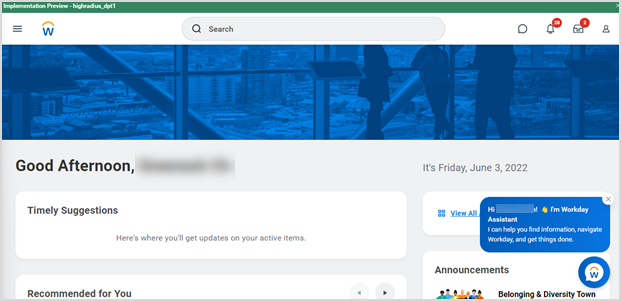
-
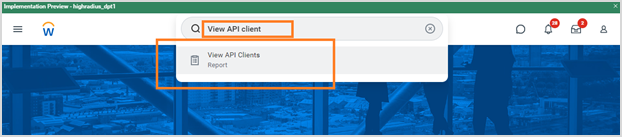
Search and select View API Clients from the search bar.
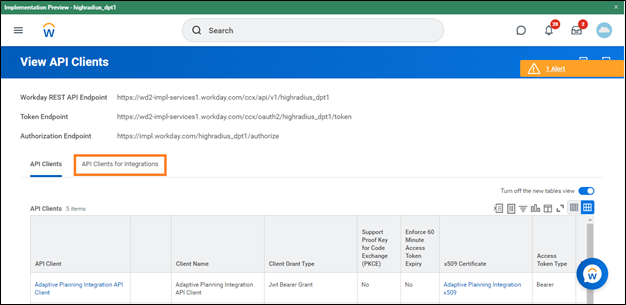
The View API Clients screen is displayed.
-
Click the API Clients for Integrations tab.
-
Copy the Workday REST API Endpoint from the screen and use it for Hostname in the Authorization section.
For example, https://wd2-impl-services1.workday.com
-
To obtain Client Id, scroll down through the API Client column and click on the highradius_REST hyperlink.
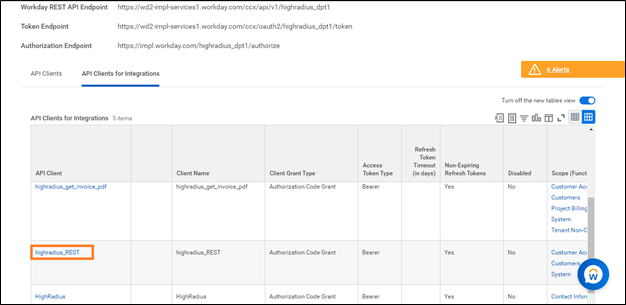
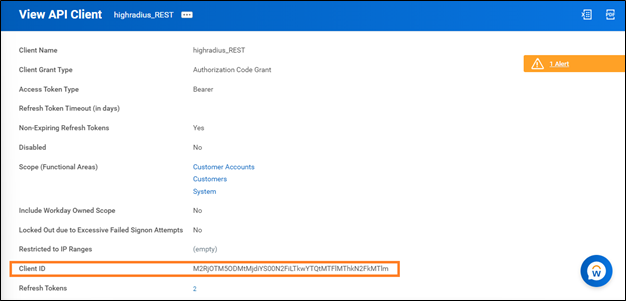
The View API Client screen is displayed.
-
Copy the Client ID and use it in the Authorization section.
-
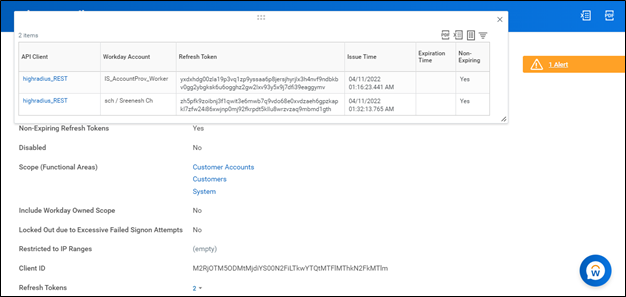
To obtain a refresh token, click the drop-down menu beside the Refresh Tokens.

-
Click View Details.

A pop-up window with the Refresh Token details is displayed.
-
Copy the required token and use it in the Authorization section.
-
To obtain Client Secret, refer to Generating New Client Secret.